After a trade
Binance market buy by Total: why it spent a little less than you typed
What you type under Total is a budget. The step size can leave change, and an unfilled order leaves more. Read the status, then the trade record.
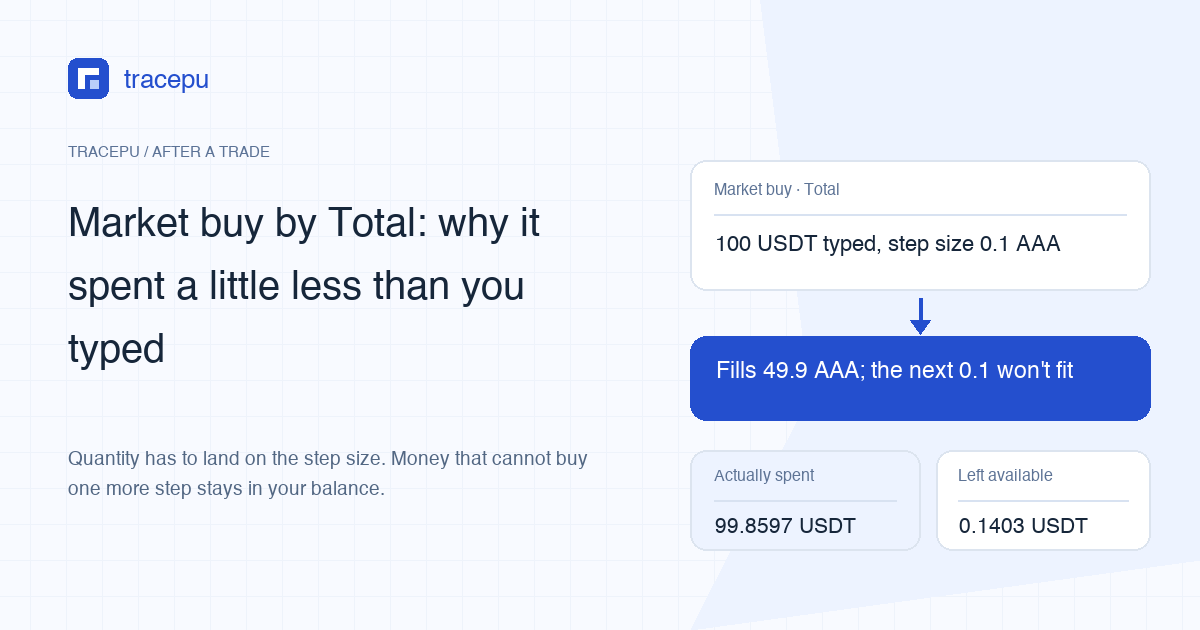
Choose Total on a Binance market buy and the number you type is a budget, not an exact bill. The quantity you get has to be a whole multiple of the pair's step size, so when one more step would take the order over budget, the change stays in your available balance. The worked example below types 100 USDT and ends up spending about 99.86.
Keep that leftover USDT apart from the trading fee. On an ordinary Spot buy the fee comes out of the coin you receive by default; it is charged in BNB only when the BNB discount applies to your account and the pair and the BNB balance covers it. The trade record names the fee asset, and why a completed buy adds less than expected walks through the deduction. If the leftover is much larger than the cost of one quantity step, check whether the order fully filled; the status checks below show where to look.
Amount or Total on a Binance market order: what each one fixes
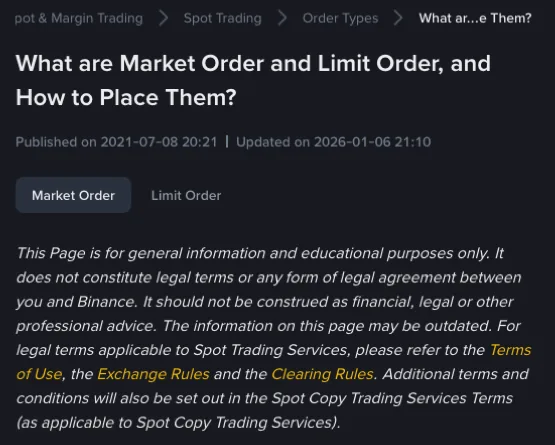
Binance's help article What are Market Order and Limit Order, and How to Place Them? says a market order can be placed with either [Amount] or [Total]. Amount suits buying or selling a set quantity of BTC. Total fits better when you want to spend a fixed sum; the article's example is 10,000 USDT. A note on the same page settles the naming: picking Amount gives a Market order, picking Total gives a Reverse Market order, and both belong to the market order type.
On the buy side, the two fields pin down opposite things:
- Amount: you decide how many coins to buy; the USDT spent follows from the fill prices.
- Total: you decide how much USDT to spend; the number of coins follows from the fill prices and the quantity rules.
Binance's public Spot API documentation calls the Total field quoteOrderQty and puts it more bluntly: on a buy it is the amount the user wants to spend, on a sell the amount they want to receive, and the executed quantity is worked out from market liquidity and that figure.
Typed 100 USDT, spent 99.86: where the rest went
The API documentation's notes on placing a new order cover it in two statements. A market order sized by quoteOrderQty will not break the LOT_SIZE filter, step size included. And the executed quantity is the one whose value comes as close as possible to the figure you typed. With a step size above zero, quantity can only be a whole multiple of it, so if the next step would cost more than the budget has left, the fill lands slightly under.
Hypothetical order: the pair is AAA/USDT and the step size is 0.1 AAA. You pick Total and market-buy with 100 USDT. The sell side of the book shows 30 AAA at 2.000 and plenty more one level up at 2.003 (prices in USDT).
| Fill price (USDT) | Quantity filled | Spent on this fill (USDT) | Budget left (USDT) |
|---|---|---|---|
| 2.000 | 30 AAA | 60.0000 | 40.0000 |
| 2.003 | 19.9 AAA | 39.8597 | 0.1403 |
| 2.003 (one more step) | 20.0 AAA | 40.0600 | Short by 0.0600: no fill |
At 2.003, the remaining 40 USDT would cover roughly 19.97 AAA. With a 0.1 step, the quantity stops at 19.9. The order fills 49.9 AAA in all for 99.8597 USDT, and 0.1403 USDT never leaves your balance. The average fill price is 99.8597 ÷ 49.9 ≈ 2.0012.
In this example, with the book holding still, the leftover is smaller than the cost of one more step: 0.1 × 2.003 = 0.2003 USDT. On a real order, step size × fill price gives you a rough figure for one step. The size of the gap is not proof of its cause, though. A book that moved, thin liquidity or another trading rule can also leave money unspent. Pairs with a coarse step size or a high coin price simply leave bigger-looking change. The Spot order rules lookup shows a pair's current step size, and step size explained separates it from decimal places.
Now add the fee
Stay with the same order and assume a 0.1% rate taken from the AAA you bought: 49.9 × 0.1% = 0.0499 AAA, so 49.8501 AAA is credited. The 0.0499 AAA and the 0.1403 USDT are two unrelated gaps. One is missing from the coin; the other never left USDT. Write them down on separate lines instead of adding them up and looking for a single cause. Your own rate is on your account's fee page.
Checking a Total order in Order History
The help article points to [Order History] for both the quantity bought and the average price. Open the order and go down this list:
- Copy out the filled total, the filled quantity and the average price.
- Filled quantity × average price should come out close to the filled total. If the two differ slightly, check first whether the displayed average price has been rounded.
- The figure you typed minus the filled total is what went unspent. Read the order status before anything else, then estimate one step from the step size and fill price at the time. A gap of about that size is a lead toward the step size, nothing more.
- Fees are listed fill by fill under [Trade History]. When one order splits into several fills, each carries its own fee and fee asset; average price across several fills shows how they add up.
Much more than one step left over? Check whether the order fully filled
When the unspent amount is well beyond the cost of one step, look for an unfilled portion, starting with the status. Partially Filled, Canceled and Expired all mean part of the order did not execute.
A market order does not wait on the book. Whatever doesn't fill ends with the order, and the USDT set aside for it goes back to your available balance rather than being charged. If you had slippage tolerance switched on, anything priced beyond the tolerance limit is cancelled at once; the slippage tolerance guide has a worked example. To trace where the money and the coins went after the order closed, follow the order of checks in what a partially filled order means.
Buying with the slider at 100%: Total or Amount?
The help article runs one example for each field.
Amount, slider at 100%. The system matches your balance against the best sell orders on the book to work out how many coins you can buy, and that quantity goes into the order. If the price rises as you submit, the USDT no longer covers that quantity and the order will not be completed. Binance's suggestion is to edit the quantity down by hand and place it again, or to use Total instead.
Total, slider at 100%. In the help article's words, the system executes at the current market price according to the USDT you hold, and how many coins you will get is uncertain. For buying with a fixed budget, this is the field to use. Liquidity and trading rules still shape the result, so once the order ends, read the actual filled total and the status.
Selling by Total: you type the USDT you want back
On a sell, Total is the amount of the quote asset you want to receive. The quantity sold still has to sit on the step size, and the API documentation again says only "as close as possible", so the filled total may not match your figure to the cent. By default the sell fee then comes out of the USDT you receive, which trims the credited amount once more. How much USDT a Spot sell pays out works through that part.
Sources: Binance Support, What are Market Order and Limit Order, and How to Place Them? (marked as updated 2026-01-06); the new-order notes in Binance's Spot API documentation, rest-api.md; and the developer Spot commission FAQ for the fee asset and BNB balance conditions. All consulted in November 2026.