Order status
Partially filled orders: what has filled and what remains
One instruction can contain completed trades and an open remainder at the same time.
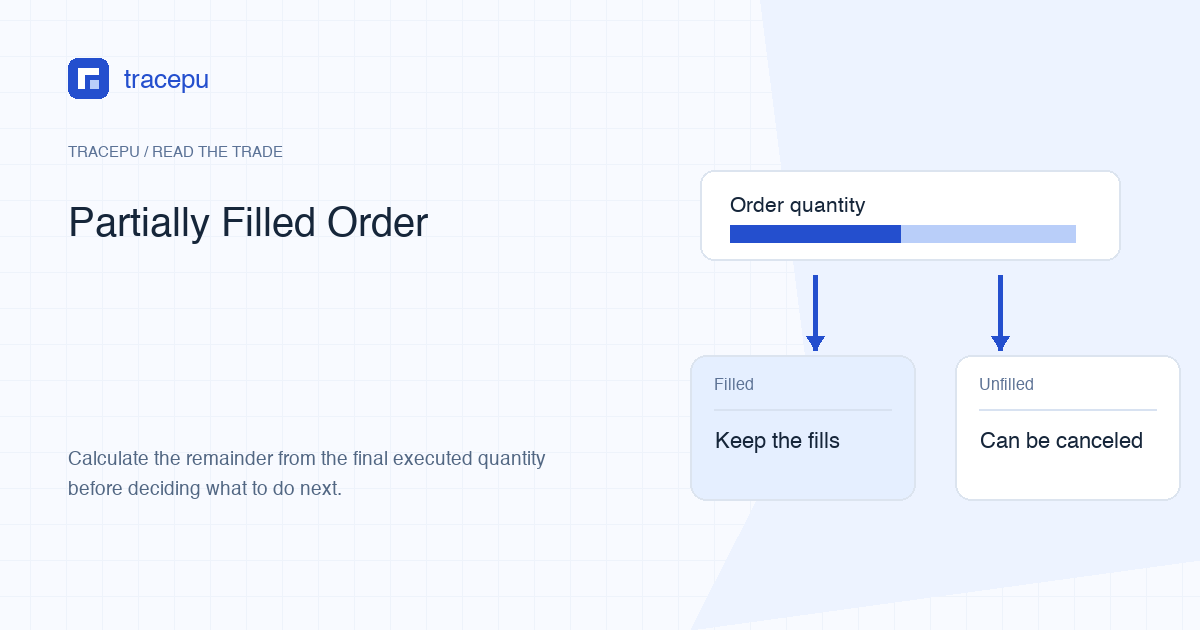
You place an order for 12 units. Five units trade. Seven units are still waiting. The status says partially filled. That one order now contains two different facts: the five-unit execution is complete, and the seven-unit remainder is not.
The clean way to handle this state is to follow quantities through time. Avoid broad questions such as “Did it work?” Ask what executed, what remains, what is reserved, and what the final status becomes.
Start with three quantities
Binance's Spot glossary defines origQty as the original quantity sent with the order and executedQty as the amount filled. The remainder is the difference.
Fictional order: buy 12 PINE at a limit of 2.50 USDT per PINE.
- Original quantity: 12 PINE
- Executed quantity: 5 PINE
- Remaining quantity: 12 − 5 = 7 PINE
The order-level status connects these values. PARTIALLY_FILLED means part of the order filled. It does not mean the executed portion is provisional. Those fills have already exchanged assets and can have fees.
Keep the units attached. “12 minus 5 equals 7” is incomplete because a page can also show 2.50 USDT per PINE and 12.50 USDT of executed notional. Write 12 PINE, 5 PINE, and 7 PINE.
Follow the order as a timeline
At submission, the order requests 12 PINE. If it is accepted but nothing has traded, the executed quantity is zero. When a seller supplies 3 compatible PINE, executed quantity can rise to 3. A later match for 2 PINE raises it to 5.
The interface may show one order row rather than two execution rows. Binance's support material says multiple matches can be counted as a single order in Trades History. Use separate fill prices and times only when an order detail or export actually provides that granularity.
If the five executed PINE all traded at the 2.50 limit, the gross executed quote value is 12.50 USDT. If some filled at a better buy price, calculate each quantity times its execution price and add the quote values. Divide total quote value by 5 PINE for the weighted average.
Suppose 2 PINE filled at 2.45 USDT and 3 PINE filled at 2.50. Their quote values are 4.90 USDT and 7.50 USDT. Total quote value is 12.40 USDT, so the weighted average is 12.40 ÷ 5 = 2.48 USDT per PINE. Use this calculation only when the record actually exposes those execution pieces.
The original notional of 30.00 USDT is not the amount already spent. It is 12 PINE times the limit price. The executed quote value belongs to the 5 PINE that traded. The remaining reservation relates to up to 7 PINE under the live order.
See why a balance stays locked
An open buy order reserves quote asset so the order can pay if the remainder matches. After a partial fill, part of the quote asset has been spent and part can remain locked. An open sell order similarly reserves the unfilled base quantity.
Ignoring fees, the 12-PINE buy at 2.50 starts by reserving up to 30.00 USDT. After 5 PINE fill at 2.50, 12.50 USDT has been spent and 17.50 USDT can remain reserved for 7 PINE. The actual record controls; the example only demonstrates the units.
A portfolio total can conceal this movement. Inspect the Spot asset's free and locked amounts. The bought base asset may increase while the unspent quote asset remains locked. Both can be true at once.
Know what canceling changes
Canceling requests that the exchange stop the open remainder. It does not reverse the 5 PINE already bought. If cancellation succeeds with executed quantity still at 5, the final order can show canceled with 5 executed and 7 unfilled.
Matching and cancellation happen in time. Another compatible order can trade against the remainder while your cancel request is being processed. Do not calculate from the number you saw before pressing cancel. Reload the order and use its final executed quantity.
- Note the executed quantity before requesting cancellation.
- Send one cancel request and wait for a final response.
- Reload the order status and final executed quantity.
- Calculate the final remainder from those values.
- Confirm unused reserved funds returned to the free balance.
- Keep the completed trade and fee records.
If cancellation is rejected, do not assume the order is still open. It may already have filled or reached another final status. Recheck the order record before repeating the action.
The balance release can also lag behind the first screen update. Refresh the same Spot asset after the order is final, then compare free plus locked with the trade and fee records. If another open order uses the same asset, isolate its reservation before deciding the canceled order failed to release funds.
Understand time in force
Time-in-force instructions help explain why one remainder waits and another expires. They are order rules, not labels for whether the executed portion counts.
- GTC, Good Til Canceled: the order can stay active until canceled or fully filled.
- IOC, Immediate or Cancel: it attempts to fill as much as possible immediately, and the unfilled quantity expires.
- FOK, Fill or Kill: it expires without a fill if it cannot execute completely and immediately under its conditions.
Do not assume every interface, pair, or order type offers every instruction. Read the current control. A status such as expired can reflect the selected rule or exchange handling, while canceled normally reflects a cancellation request.
Size a replacement from the final result
Suppose your intended total was 12 PINE and the canceled order finished with 6 PINE executed because one more filled during cancellation. Your remaining target is 6 PINE, not the 7 PINE visible earlier and not the original 12.
A replacement is a new order. It faces the current price, order book, filters, balance, and fees. It does not inherit queue position from the canceled order. Decide again whether the price boundary still makes sense instead of changing the number mechanically.
Never place the replacement until you know the old order's final status. Two live orders for the same intended quantity can create an unintended larger trade.
Close the record with four checks
A partial-fill case is complete when four records agree:
- The order shows a final status and final executed quantity.
- Any available trade detail supports the executed amount and quote value.
- Fees are recorded with their asset.
- Free and locked balances reflect completed trades and released reservations.
When all four agree, your remaining target is settled, and you can decide at today's price whether a replacement order still makes sense. If one of them still disagrees after a refresh, for example funds stay locked for a remainder that was canceled, stop there. Do not place the replacement; take the order ID, final executed quantity, and fee record to official support.