Order status
Binance trading pair paused or halted: what happens to your open orders
A paused pair stops matching, but your order may still be open. Its status, fills and locked balance tell you whether to keep it or cancel.
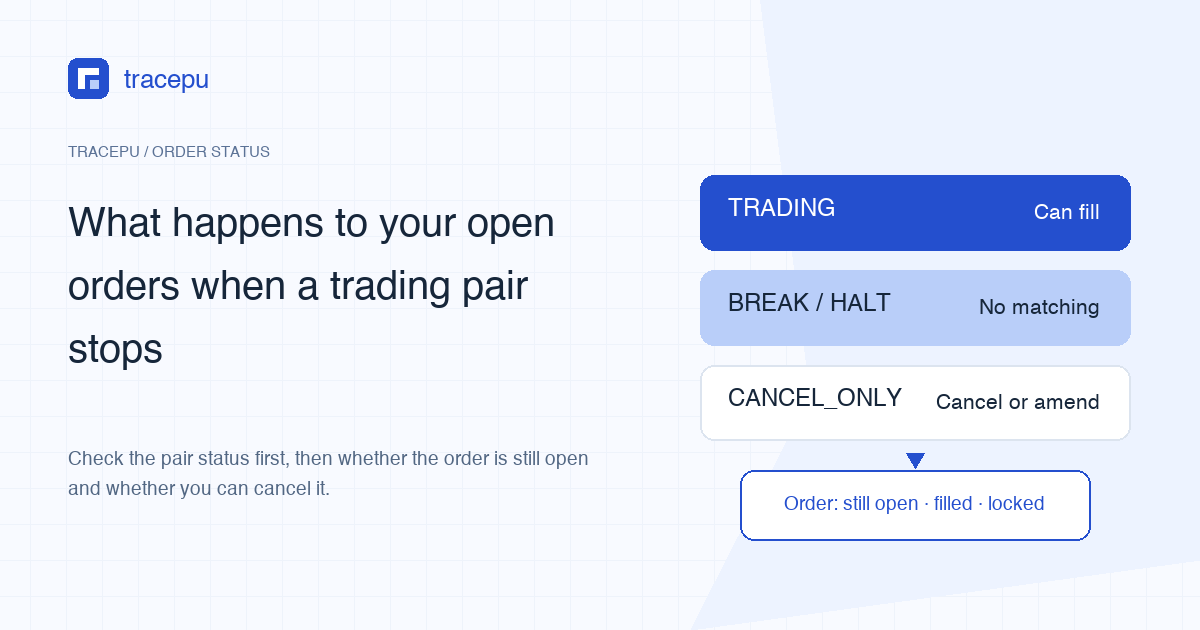
When Binance pauses a trading pair, an order sitting on it can't fill for as long as the pause lasts, because nothing on that pair is being matched. That doesn't mean the order vanishes. Whatever filled before the pause stays filled. The unfilled rest keeps holding your balance until you cancel it, trading resumes and it fills, or the exchange ends it under its own rules.
So hold off on placing a replacement order. Two things need answering first: what state the pair is in right now, and whether your order is still open, canceled or expired.
It's the pair that stopped, not your coin
A trading pair is a "swap this for that" combination, such as AAA/USDT. A pause stops matching on that combination; it doesn't freeze the AAA asset itself. The same coin may be trading normally on another pair, and the AAA or USDT in your account is still there. Only the portion tied up in the open order is out of reach for now.
Whether you can withdraw the asset, or sell it on a different pair, is a separate question that depends on what the announcement for that pause or delisting says. This guide sticks to the orders resting on the paused pair.
Binance's public API lists five pair statuses
Every Spot pair carries a status field in Binance's API. The official ENUM Definitions page lists five values, shown below.
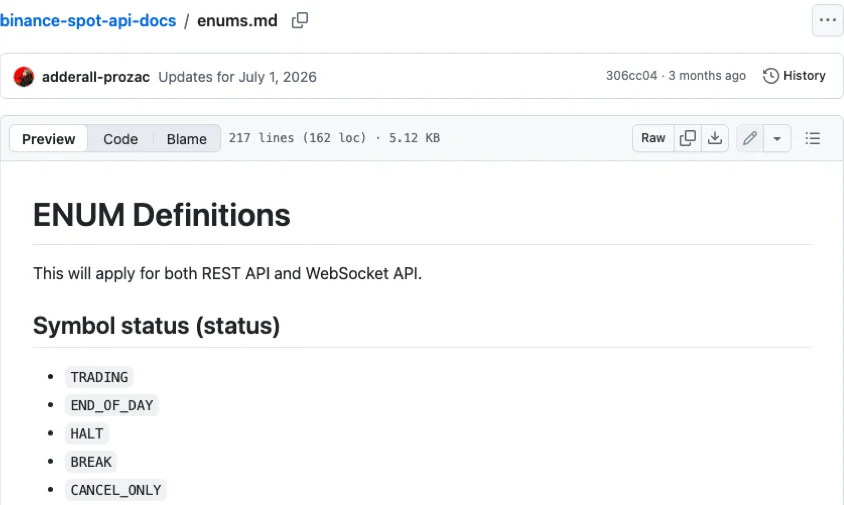
The English page gives only the codes. The Spot glossary in the same docs explains most of them, and here is what each means for an order already on the book:
TRADING: orders can be placed. Your resting order matches as usual.BREAK: not available for trading, which can happen during expected downtime, and no market data is generated. Your order won't fill.HALT: not available for trading, which can happen during emergency downtime, though market data is still generated. Your order won't fill.CANCEL_ONLY: users can only cancel and amend orders; market data continues except klines. No new orders, but you can cancel or amend the one you have.END_OF_DAY: the glossary has no entry for it, so we don't guess what it means for your order.
"Expected downtime" and "emergency downtime" sound like the pair will be back soon. Don't read that much into the name. The Chinese edition of the same ENUM page even glosses HALT as a pair that has been taken offline, which doesn't match the glossary.
BREAK is just as loose. Binance's public exchangeInfo endpoint (https://api.binance.com/api/v3/exchangeInfo, no login needed) returns a status for every Spot pair, and when we checked in October 2026, BCCBTC, one of the BCC pairs Binance delisted in November 2018, still came back as BREAK. In the API, BREAK can mean a short pause or a pair that stopped trading years ago.
To check a single pair, enter both assets in our Spot order rules lookup. The result shows a public status line. It reads "trading" when the pair is TRADING; for anything else it shows the raw code and warns that the rules shown don't confirm the pair is open.
Where to look while the pair is paused
Is the order still there? Open Orders answers this. If it's listed, the order hasn't ended; it's just parked. If it's gone from the list, find it in Order History by pair and time and read its final status before you assume anything.
How much has filled? The order detail shows the executed quantity, and Trade History shows the individual fills. Anything that filled before the pause has settled, and the pause won't reverse it. That number shouldn't move while matching is stopped. If it seems to, refresh and make sure you're looking at the same order ID.
How much of your balance is tied up? Binance's glossary defines locked as the amount of an asset held in open orders and other platform services. As long as the order is open, its share of your balance stays locked and can't fund another order. For how locked and available add up to your total, see available vs locked balance.
Can you cancel during a pause? The API changelog entry dated April 25, 2020 states that orders can be canceled via the API on pairs in BREAK or HALT, and CANCEL_ONLY, added in the July 1, 2026 update, exists precisely to allow cancelling and amending. Binance hasn't said whether the cancel button on the website or app is always available in these states. If it works, go by the order status after cancelling. If it doesn't, note the order ID and time rather than trying one workaround after another.
Keep the order or cancel it before trading resumes?
This one is your call. A GTC (good-til-canceled) limit order that is still open when the pair comes back is a live limit order again, straight back in the matching queue. A pause can run for a while, and the market may not be anywhere near where you expected when you set the price.
Worked example: before AAA/USDT paused, you placed a limit buy for 100 AAA at 1.20 USDT and 30 AAA filled. If sellers are asking less than 1.20 when trading resumes, the remaining 70 AAA may fill almost immediately at 1.20 or better. If asks are far above 1.20, the order just sits there holding your USDT. The pair and numbers are made up for illustration.
It comes down to one question: given what you know today, would you still buy (or sell) the remaining amount at that price? If not, cancel while cancelling is allowed. If yes, leave it, and remember it's still locking part of your balance. If, after the restart, a new order gets refused for sitting too far from the market, or a fill stops halfway and the rest expires, that's a separate price rule, covered in limit price out of range.
If the pair is being delisted: the announcement, then the order status
When a pair is being removed, find the matching Binance announcement and note the time trading stops. What happens to open orders at that point is whatever that announcement says, and we won't second-guess it here. Look for the sentence that mentions open orders or trading orders and take it at its word.
Once trading has stopped, the final status in Order History tells you who ended the order. Per the official glossary, CANCELED means you canceled it; EXPIRED means it was canceled under the order type's rules or by the exchange. Your screen may word these slightly differently, so match them against your own Order History.
Either way, whatever filled beforehand stays in Trade History, and the balance held by the unfilled part should be released. If the order has ended but the locked amount still hasn't returned to available, contact Binance through the official support entry inside your account and include the order ID, pair and time. Before you send a screenshot, see what to save and hide in an order screenshot.