Order status
Available and locked balance: where your funds are committed
A balance can still belong to you while being unavailable for a new order or withdrawal.
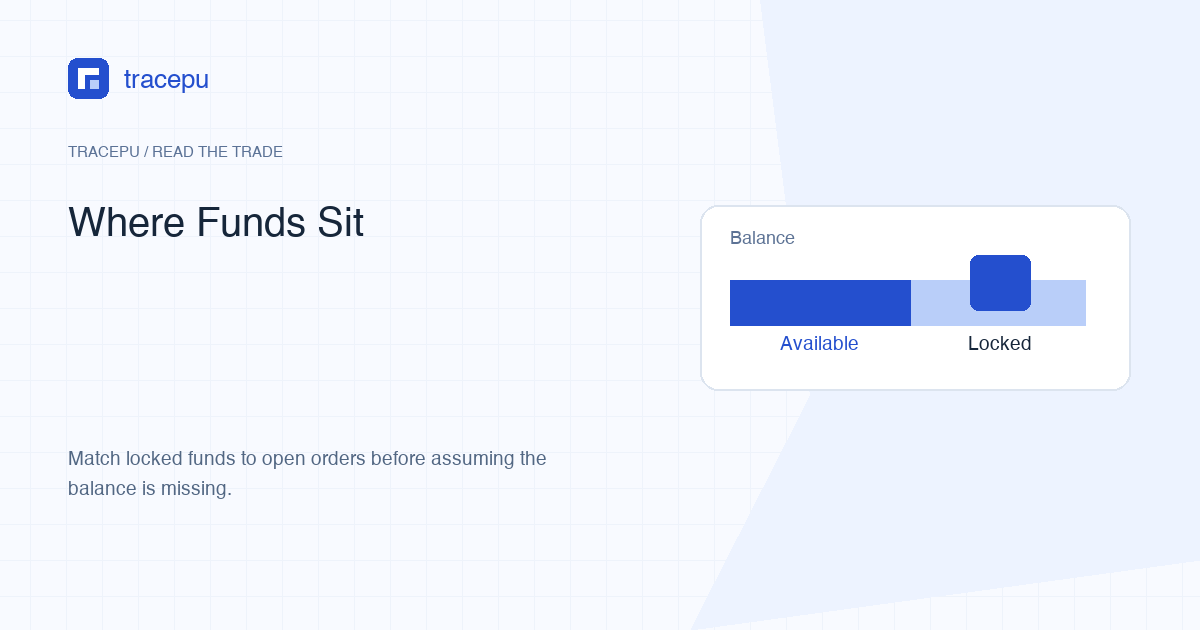
For any asset in one account area, total = free + locked. Free is what a new order or withdrawal can use right now. Locked still belongs to you but is reserved for an instruction that is still open, such as a resting limit order. The same asset can also sit in a different account area, where it counts toward neither figure on the Spot screen.
When those numbers differ, begin with location and commitments. Do not begin with a portfolio-value chart. A price-based total can change even when no asset quantity moves.
First check the account location
Binance can show assets across Spot, Funding, Earn, Margin, or other product areas available to an account. A token visible in one area is not automatically spendable in another. Confirm the exact asset and the exact account used by the order form.
An internal transfer can move an asset between account areas. That is different from a spot trade and different from a blockchain transfer. Record source, destination, asset, and amount so you do not later treat the movement as a mysterious trade result.
If the order says insufficient balance while the dashboard shows a large total, inspect the Spot free amount. Also check that the intended order needs the asset you think it needs: a buy generally needs free quote asset, while a sell generally needs free base asset.
Free and locked have specific meanings
Binance's Spot glossary defines free as the amount in a user's balances that can be used to trade or withdraw. It defines locked as the amount currently locked in open orders and other platform services.
- Free: usable now, subject to current product and account rules.
- Locked: still recorded in the balance but committed to an open order or another service.
These definitions describe availability, not profit or ownership. A locked amount has not necessarily been spent. A free amount is not necessarily safe to trade. It only says whether the platform currently treats that quantity as available.
Free also does not override a trading rule or eligibility requirement. An order can still fail because its price step, quantity step, notional, symbol status, or account permission is invalid. Balance answers the funding question; the current order checks answer whether the instruction is permitted.
See how an open buy changes the balance
Suppose a Spot account contains 100 USDT free. You place a limit buy for 10 MAPLE at 3 USDT per MAPLE. Ignoring fees, the order needs up to 30 USDT.
Before the order: 100 USDT free, 0 locked.
After acceptance with no fill: 70 USDT free, 30 USDT locked.
Total: still 100 USDT in this simplified snapshot.
The 30 USDT is unavailable to a second order because the first order may need it. The balance did not vanish, and no MAPLE has been bought yet. The order status and executed quantity should confirm that interpretation.
If the order is rejected before acceptance, the expected reservation may never occur. That is why balance changes cannot replace the order record. Use both.
An open sell locks the other asset
For a sell, the reserved asset is normally the base quantity. If you have 20 MAPLE free and place an open sell for 8 MAPLE, the simplified result can be 12 MAPLE free and 8 MAPLE locked.
The quote balance does not increase until a trade executes. A sell order appearing in the book is an instruction, not receipt of payment. If it fills partly, only the executed base quantity has been sold.
Reading the pair prevents a common reversal. In MAPLE/USDT, MAPLE is base and USDT is quote. Buy consumes quote; sell consumes base. In another pair where MAPLE is on the right, its role changes.
Follow a partial fill across both assets
Return to the 10-MAPLE buy at 3 USDT. Suppose 7 MAPLE fill at the limit and 3 remain open. Ignoring fees, 21 USDT has been spent and 9 USDT remains reserved.
| Asset | Free | Locked | What it means |
|---|---|---|---|
| USDT | 70 | 9 | 21 spent; 9 reserved for 3 MAPLE |
| MAPLE | 7 before fees | 0 | Executed base quantity received |
The original 100 USDT is now represented by 70 free USDT, 9 locked USDT, and 21 USDT already exchanged for MAPLE. Portfolio values can make this look different as market prices move. Reconcile quantities first.
For an ordinary buy, the commission is based on the received quantity and can reduce the MAPLE that arrives. If the relevant discount is enabled and the account has sufficient BNB, the commission can instead be recorded in BNB. The execution still spent 21 USDT in this simplified example; compare the recorded commission asset and amount before adjusting either balance.
What happens after cancellation
Canceling an untouched open buy should release its unused quote reservation after the order reaches a final canceled state. Canceling a partially filled buy releases only what remains unused. Completed fills are not reversed.
Cancellation and matching can race. An additional fill may happen while the cancel request is processed. Reload the final executed quantity, then calculate what should be released. Do not rely on the pre-cancel snapshot.
If locked funds do not return immediately, confirm the final status and refresh the account. Then check other open orders and services using the same asset. A second reservation can make the total locked amount larger than the first order's remainder.
Do not submit a duplicate cancellation or transfer merely to force the number to move. Preserve the order ID and timestamps, allow the final state to appear, and then compare the exact same asset and account area. If the records still disagree, take the non-sensitive facts to official support.
Reconcile an unexplained difference
Use a small ledger for one asset at one account location:
- Record the starting free and locked quantities.
- List open orders that use the asset as base or quote.
- Record each order's final executed and remaining quantity.
- Add transfers into and out of the same account area.
- Add fees with their actual fee asset.
- Compare with the ending free and locked quantities.
Use timestamps and asset quantities rather than changing portfolio values. If one user order matched multiple times, the interface may aggregate it. Only reconcile individual fill rows when the detail or export provides them; otherwise use the order's executed quantity and recorded quote total.
For support, preserve the order ID, pair, timestamps, status, and non-sensitive balance figures. Never share authentication codes, passwords, recovery data, or unredacted account screenshots.
How to release a locked balance on Binance Spot, or leave the order running
Once each locked amount is tied to an order or service, the next move depends on that order. If the open buy still reflects your plan, leave it and let the reservation stand. If it no longer does, cancel it, wait for the final status, and confirm the unused quote asset has returned to free before placing anything new.
Hold off on new orders and transfers if a locked amount still cannot be matched to any open order or service after a refresh. Gather the order IDs, timestamps, and the free and locked figures for that one asset, and take them to official support instead of trying to release the balance by trial and error.