Rules and fees
How many decimals can a Binance limit price have? Each trading pair sets its own tick size
The decimals follow the trading pair. Find out how big one tick is and you know where your price has to stop.
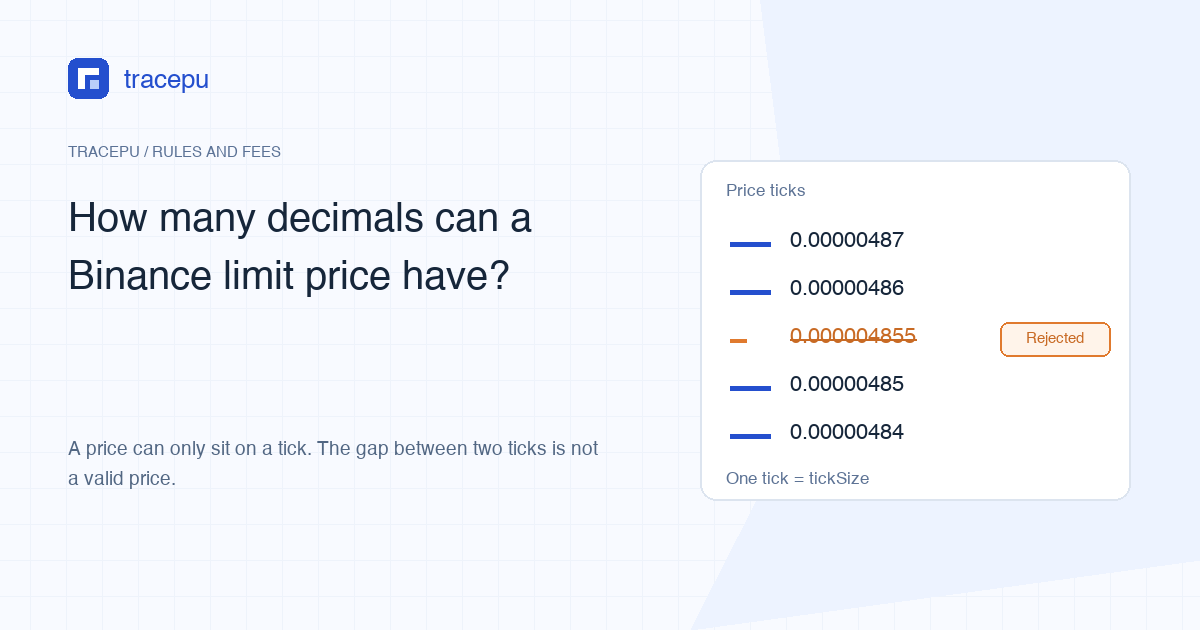
There’s no single answer to how many decimal places the price box on a Binance Spot limit order will take. Every trading pair has its own minimum price increment, which the API docs call tickSize, and your price has to be an exact multiple of it. Pulled from Binance’s public API on October 25, 2026: BTC/USDT moved in steps of 0.01, DOGE/USDT in 0.00001, SHIB/USDT in 0.00000001, and YFI/USDT in steps of 1, so whole numbers only.
If a price won’t go in, or the order bounces back with a complaint about the price, leave your balance alone for a moment. Look up the tick size for that pair and check whether your number lands exactly on a step. An extra decimal can put the price between ticks even when the balance is sufficient.
What tick size means on Binance: the PRICE_FILTER rule
Binance’s Spot API filter documentation puts the price checks in a rule called PRICE_FILTER. It has three fields:
- minPrice: the lowest price allowed;
- maxPrice: the highest price allowed;
- tickSize: the interval a price can move up or down by, in other words the size of one step.
An order passes only when all three hold: the price is at or above minPrice, at or below maxPrice, and dividing it by tickSize leaves no remainder. A field set to 0 switches that particular check off.
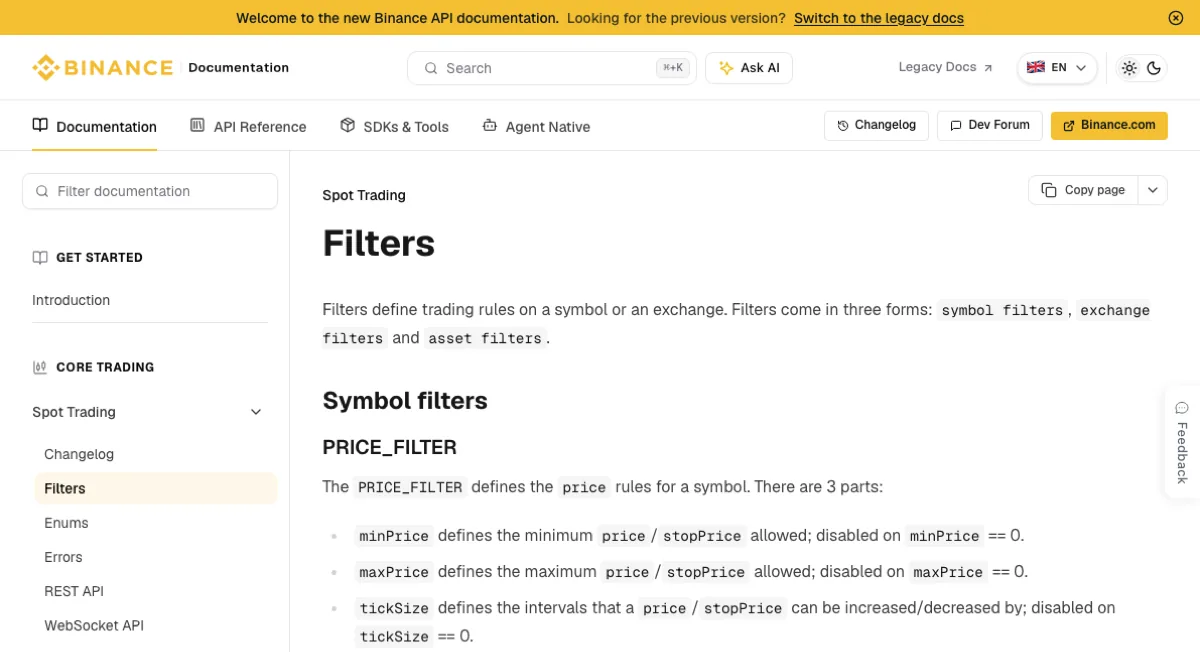
The rule covers two parameters, price and stopPrice. On a stop-limit order, both the trigger and the limit price need to sit on a tick. A market order has no price to type, so this rule never touches it.
Through the API, a price that breaks this rule returns Filter failure: PRICE_FILTER. Binance’s error code page describes it as a price that is “too high, too low, and/or not following the tick size rule for the symbol.” The app and website may word the message differently. What matters is that it’s pointing at the price.
Why USDT pairs allow such different numbers of decimals
The four rule sets below come from the public exchangeInfo endpoint and the last prices from ticker/price, all pulled on October 25, 2026. Prices move, so use the table to compare how big one tick is, and query the current rule and price again before you trade.
| Trading pair | Last price at the time (USDT) | Tick size | Allowed decimal places | One tick as a share of price |
|---|---|---|---|---|
| BTC/USDT | 80,371.33 | 0.01 | 2 decimal places | 0.0000124% |
| DOGE/USDT | 0.07664 | 0.00001 | 5 decimal places | 0.013% |
| SHIB/USDT | 0.00000485 | 0.00000001 | 8 decimal places | 0.21% |
| YFI/USDT | 2,125 | 1 | Whole numbers only | 0.047% |
All four tick sizes are powers of ten, so they convert straight into decimal places: a tickSize of 0.0001 means at most four decimals. The API pads its values with zeros. 0.01000000 is still a step of 0.01, not permission to type eight decimals. YFI/USDT steps by 1 and takes whole-number prices only. Switch to another pair and you need to read that pair’s tickSize again.
The last column is (tick size ÷ last price at query time) × 100%. On BTC a one-tick move is too small to notice. On SHIB it’s 0.21%, and that’s the smallest move your price can make.
A price between two ticks can’t be placed
On the same day, ticker/bookTicker showed the top of the SHIB/USDT order book at a best bid of 0.00000485 and a best ask of 0.00000486, exactly one tick apart. Suppose you want to bid 0.000004855: a touch above the existing buyers, without crossing into the sellers. That price carries one decimal too many, sits off the grid, and won’t be accepted. The two valid prices on either side are 0.00000485, where you join the queue behind the bids already sitting there, and 0.00000486, which can trade at once if the ask is still at that price with enough size when your order arrives.
What separates those two prices is more than the 0.21%. At 0.00000485 you wait in line: orders at the same price fill in the order they arrived, and the back of the queue may never be reached. Why your Binance limit order is not filling goes through that in detail. At 0.00000486, whatever matches the ask straight away pays the taker rate. If only part of it fills and the rest sits on the book until another order hits it, that remainder is charged in a different role. Why a limit order can pay taker fees explains the split.
Target price has an extra decimal: round up or down?
Dropping the extra digit puts the price back on a tick. Decide the direction first:
- Buy, rounded down (0.000004855 becomes 0.00000485): you never pay more than you meant to, but the fill may come later, or not at all;
- Buy, rounded up (0.00000486): 0.000000005 USDT, half a tick, above your target, and a full tick above the rounded-down price;
- Sell orders run the other way: rounding up holds out for a higher minimum sale price and may be slower; rounding down sits closer to what buyers are bidding, but lowers the least you’re willing to accept.
Before rounding a buy up, multiply the per-coin difference by the quantity you’re buying. That tells you what the rounding costs on this order, and then you can decide whether getting closer to the ask is worth it. At the table’s prices one SHIB/USDT tick is about 0.21% and a BTC/USDT tick is a far smaller share, but the total still depends on how much you buy. Sticking to the highest price you were prepared to pay matters more than nudging the number up just to get it into the box.
Landing on a tick doesn’t mean the order will go through. Two more price-related checks sit outside this rule: the price can’t be too far from a reference price (see limit price out of range), and price times quantity has to clear the minimum order value (see Binance minimum order). Quantity has a grid of its own, a separate field called stepSize, covered in quantity step size. When an order is refused, start by reading whether the message is about price, quantity or total value.
Binance can change a pair’s tick size
Tick sizes aren’t permanent. In an announcement on spot tick size changes published October 22, Binance said it planned to finish adjusting the listed pairs by 05:00 UTC on October 29, 2026. According to the announcement, existing spot orders aren’t affected and orders placed before the change keep matching at the old tick size. New orders need the updated rules.
For a beginner, this shows up in two places. A price that went in last time might now need one more decimal, or one fewer. And a note you kept about “this coin takes six decimals” can go stale without warning. When in doubt, look the rule up again right before you order.
Where to check a pair’s tick size right now
Tracepu’s spot order rules lookup reads Binance’s public API directly. Pick a trading pair and it shows the current price step, the fixed maximum and minimum price, the quantity step and the minimum order value. It only reads public rules, never touches your account, and can’t promise that an order will be accepted.
If you’d rather read the API yourself, call the public endpoint api/v3/exchangeInfo with a symbol parameter (symbol=BTCUSDT, for example) and find the block where filterType is PRICE_FILTER. tickSize is in there. No login, no API key.