Rules and fees
Why can a Binance limit order be charged as a taker?
Maker and taker describe how a fill meets the order book. The word “limit” alone does not settle the fee role.
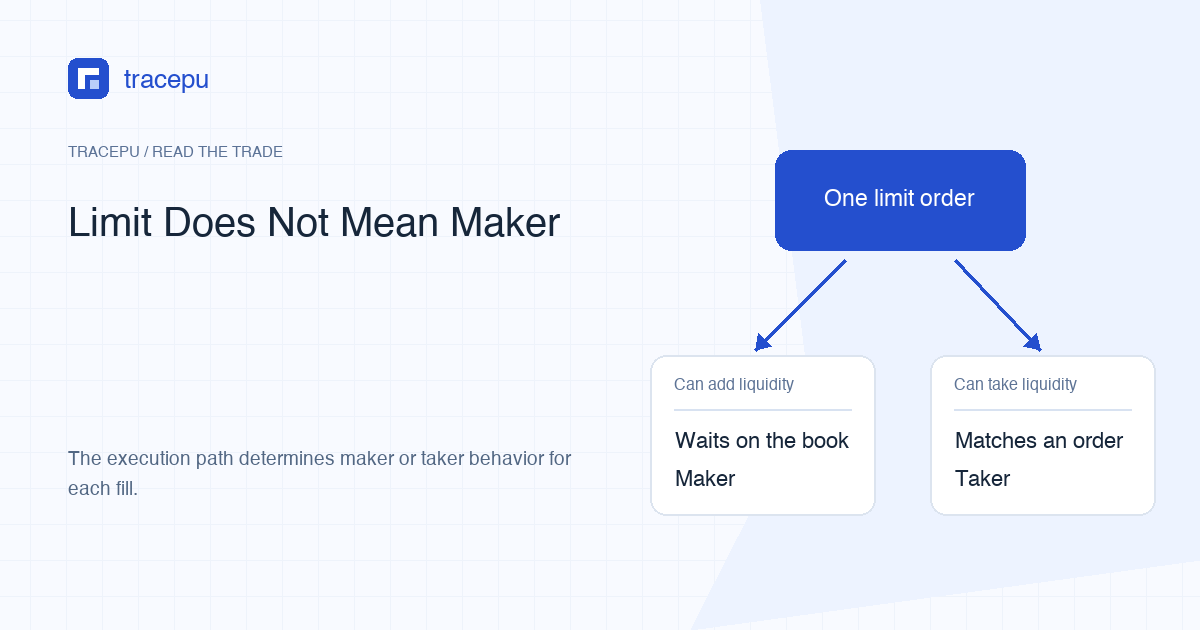
A Binance Spot limit order fills as a taker when it trades straight away against an order already waiting on the book, and as a maker when it rests on the book first and another order trades against it later. The limit only sets the worst price you are willing to accept, so an immediate taker fill can still land at your limit price or better.
The clean way to think about this is: limit or market describes the order instruction; maker or taker describes what happened when a fill met the order book.
How a limit order becomes a taker
Picture a simplified ABC/USDT order book. The lowest sell offer is 10 USDT. You submit a limit buy with a maximum price of 10.20. Existing sellers are already offering ABC at prices within your limit, so the order can match them immediately. Those fills remove waiting liquidity from the book. They are taker executions from your order's point of view.
Order-book illustration: best sell offer 10; limit buy 10.20; an immediate fill at 10 respects the buyer's limit because 10 is better than 10.20. The numbers are invented and do not represent a live market or personal trade.
A limit price is a boundary, not a request to wait. For a buy, execution must be at the limit price or lower. For a sell, execution must be at the limit price or higher. Binance's Spot glossary describes LIMIT as an order whose execution price is no worse than its set price.
When a limit order becomes a maker
Now suppose the lowest sell offer is 10, but your limit buy is 9.50. It cannot immediately match a seller at 10 without breaking your price boundary. If accepted, it can rest on the buy side of the book. A later sell order may come to your 9.50 bid. Your resting order supplied the liquidity that the incoming order used, so that fill is maker.
Waiting for time to pass is not the definition by itself. The relevant point is whether the order rested as available liquidity before another order matched it. An order can wait and later be canceled without any maker fill. Maker and taker apply to executions, not merely to submitted orders.
One order can follow both paths
A larger limit order may find some matching quantity immediately but not enough to fill the whole request. The first portion removes existing offers and can be taker. The remainder may then rest on the book and later execute as maker.
| Portion | What happens | Liquidity behavior |
|---|---|---|
| First fills | Matches orders already waiting | Takes liquidity |
| Remaining quantity | Rests on the book | Offers liquidity |
| Later fills | A new opposing order matches it | Makes liquidity |
This is why an order-level label can be too coarse for fee checking. Open the detailed trades or fill history. If the interface provides maker/taker information per fill, keep that field with the price, quantity, commission, and commission asset. If it only gives a combined summary, do not invent fill-level roles that the record does not show.
What LIMIT_MAKER changes
Binance separately defines LIMIT_MAKER as an order type that can only be maker and cannot immediately match and take. If it would execute against existing liquidity on submission, it is not allowed to take that liquidity. That is different from a regular LIMIT order, which permits an immediate fill as long as the execution price stays within the limit.
The normal consumer interface, API availability, and supported order types can vary by symbol, account, and region, so finding the term in technical documentation does not mean your order screen offers it. If you use it, read the actual rejection or status rather than silently replacing it with a regular limit order.
Role and fee rate are connected, but they are not the same field
Maker/taker identifies liquidity behavior. The charged amount also depends on the applicable commission setup. Binance documents standard, special, and tax commission categories, plus account and symbol discount conditions. The numerical rates in its commission FAQ are explicitly fictional examples.
Do not copy a public headline rate and use it to overrule your completed trade record. The rate that applies can depend on symbol, account tier, promotion, region, and discount eligibility, and maker is not cheaper than taker in every fee program. The commission recorded for the fill is the figure to check.
Fee asset is another question. Even after you identify the role, record whether commission was deducted in the received asset, quote asset, BNB, or another applicable asset. The received quantity and fees guide shows how that changes the wallet reconciliation.
Read the personal trade field correctly
Binance's authenticated account trade list, GET /api/v3/myTrades, returns isBuyer and isMaker. For that account's own fill, isMaker tells you the role directly: true means your side was maker, while false means your side was taker. isBuyer separately says whether your side bought the base asset.
Public market-trade data may instead use isBuyerMaker. That field says whether the buyer side was the maker; it is not a statement about your personal account. Do not substitute it for the authenticated record's isMaker field.
A user-facing export may already translate this into Maker or Taker. Prefer the clearest field the actual record provides, and preserve the original column name in your notes.
Four mistakes that lead to the wrong conclusion
- “Limit always means maker.” A marketable limit can take immediately.
- “It filled below my buy limit, so something failed.” A lower buy execution price is permitted because it is better for the buyer.
- “The whole order has one role.” Different fills can follow different paths when some quantity executes immediately and some rests.
- “The current fee page proves an old fill was wrong.” Historical account conditions and promotions may differ.
How to verify a maker or taker charge
- Confirm the record is Binance Spot, not Futures, Margin, P2P, or Convert.
- Write down the order type and limit price.
- Open the trade or fill details, not only the order-entry confirmation.
- For every available fill, save time, price, quantity, role indicator, fee amount, and fee asset.
- Check whether the first fill happened immediately and whether any remainder stayed open.
- Compare the actual commission with the rate conditions for that account and symbol at that time.
- If the record lacks the needed role detail, state that limit instead of guessing.
If you are here because a limit order paid a taker fee, start with steps 3–5. A first fill at the moment of submission means your limit price reached orders already waiting on the other side, so that fill was a taker fill. If you want the next order rejected instead of filled that way, read what LIMIT_MAKER changes before you place it.